Docker and Container

What is Docker?
Docker is a platform for building, running and shipping our applications in a consistent manner (that is, it helps our application to run on different machines without breaking)
Reasons while our applications break ls on a different machine could be as a result of
- One or more files missing
- Software version mismatch
- Different configuration settings
Therefore, Docker allows for easy packaging of applications with everything it needs and run it on any machine with Docker.
Using Docker to automatically setup, install and run all dependencies an application needs inside an isolated environment is done using the code below inside ones terminal on a machine that has Docker running on it.
$ docker-compose up
Those dependencies are being run inside an isolated environment called a CONTAINER.
Whenever we are done with any application and choose to remove it and all of its dependencies the below command is been used
$ docker-compose down --rmi all
CONTAINER
A container is an isolated environment for running an application Most times, people get confused on the difference between a container and a virtual machine.
Meanwhile, a Virtual Machines is an abstraction of a Machine (physical hardware). Several physical machines can be run on a single physical hardware.
NB: Hypervisor is a software used to create and manage virtual machines. Examples include VirtualBox, VMware etc
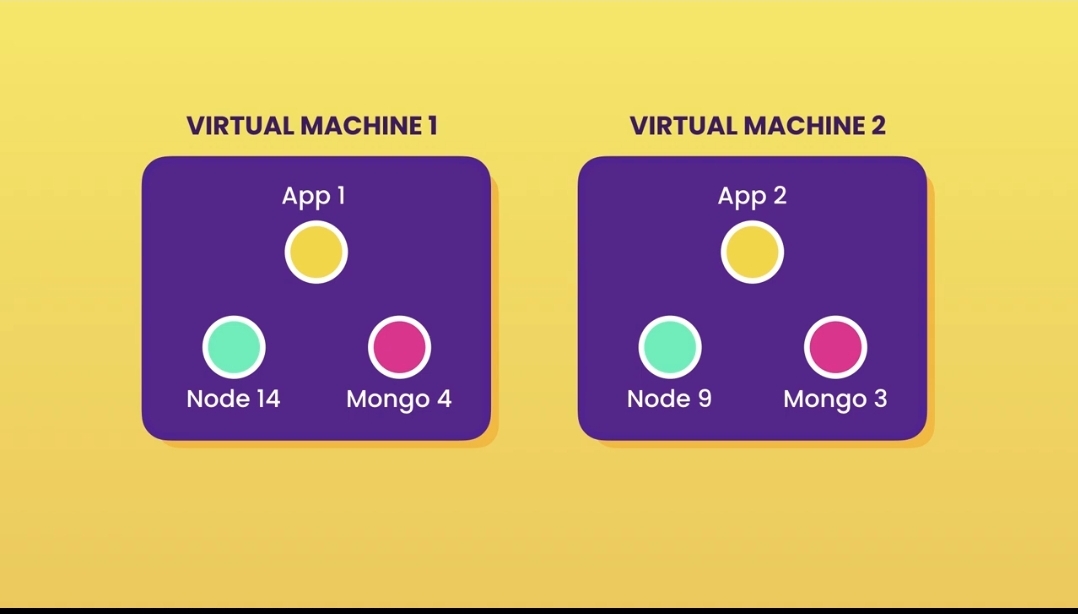
Container in it's aspect, allows for running multiple apps in isolation and are lightweight and quick to start unlike Virtual Machines
ARCHITECTURE OF DOCKER
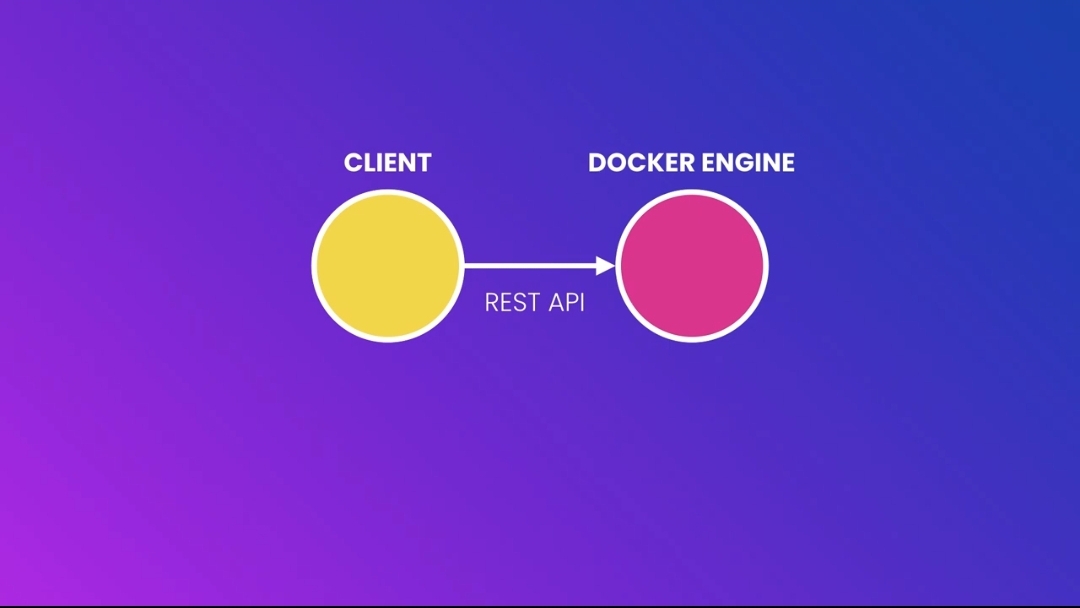
Coming back to Docker, Docker uses a Client-Server Architecture. The client communication with the Server also know as Docker Engine is through the REST API
DEVELOPMENT WORKFLOW
In order to Dockerize an application, we add a Dockerfile an make small necessary changes to it. The Dockerfile is a plain text file with instructions that Docker uses to package the application into an image. Once the Image is formed, the docker is notified to start a Container using the image.
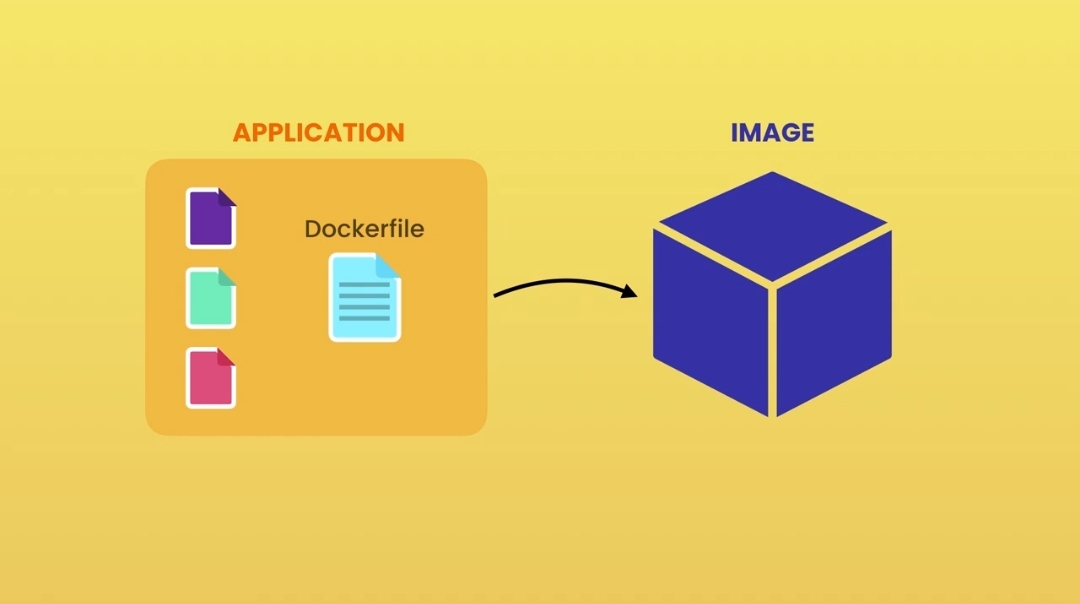
The image can contain:
- A cut-down OS
- A runtime environment (eg node)
- Application files
- Third-party libraries
- Environment variables etc
After which we can now run the application locally on our development machine with this command which runs the app inside a Container(an isolated environment)
$ docker run ...<image name>
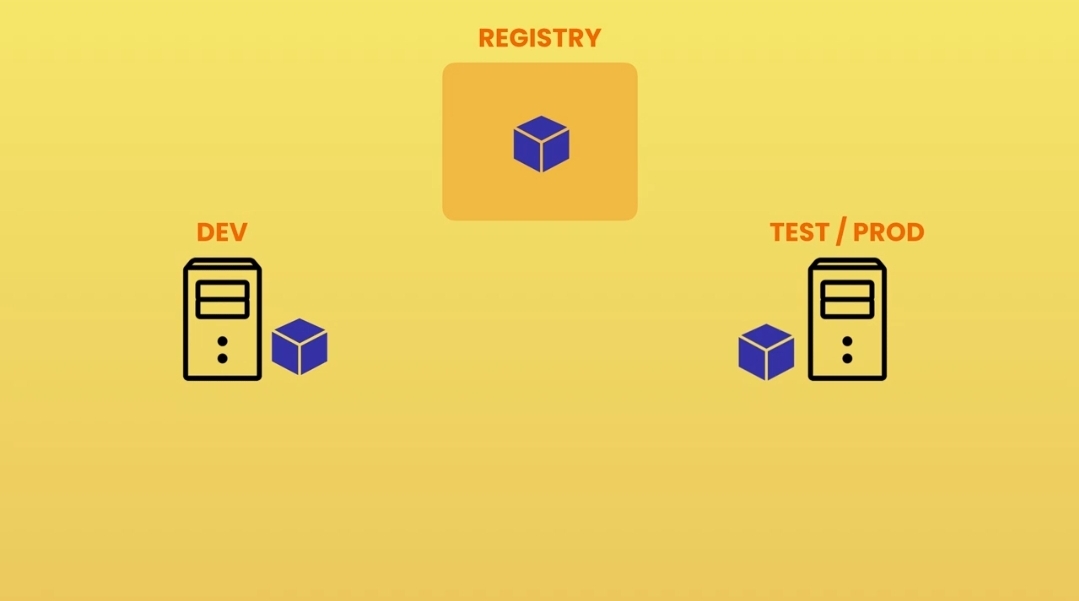
To make our codebase and it's entire dependencies available to other developers or users, once we have the Image, we push it to a Docker Registry such as Docker Hub (serving similar purpose of Github to Git).
Then anyone(probably developer) can then pull the image from the Registry onto a machine running Docker.
Conclusion
Hopefully, I believe I've been able to break down all the basic concepts needed to start using Docker.
I also would appreciate your feedback on this article. SMILES


